


With SpriCAD®, as an alternative to WinSprink, calculations can be performed using the pipe network geometry of a sprinkler network created with the Revit CAD system.
System requirements:
Windows 10 or 11 operating system
Revit: Version 2019 – 2027 (64bit)
The pipes, fittings, and sprinklers entered are configured for calculation using the SpriCAD® plugin. The program analyzes the pipe system types and families entered in the model in advance. These are then used for calculation.
Standard: Hazen-Williams formula
As an additional option for a fee, there is also the option of calculating the pressure loss instead of the Hazen-Williams formulaDarcy-Weisbach formula(e.g. for foam systems).
Pipesobtain the following properties via common parameters:
- DN value
- C-value
- length
- additional length
- numbering
- Comment
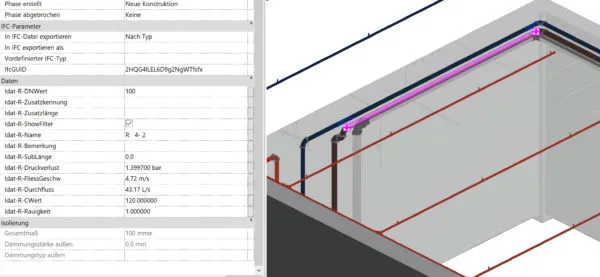
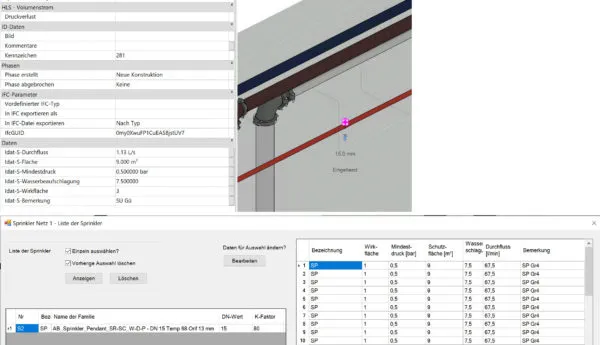
Other important fundamentals for hydraulic calculations are stored directly in the Revit families, such as sprinklers or fittings.
Sprinklereigenschaften:
- K factor
- DN value at the connection
- water exposure
- protective surface
- Minimum pressure at the sprinkler
- Number of the effective area
- Comment
After configuring the families, their equivalent lengths becomeautomaticallytaken into account in the calculation using the appropriate equivalent length table.
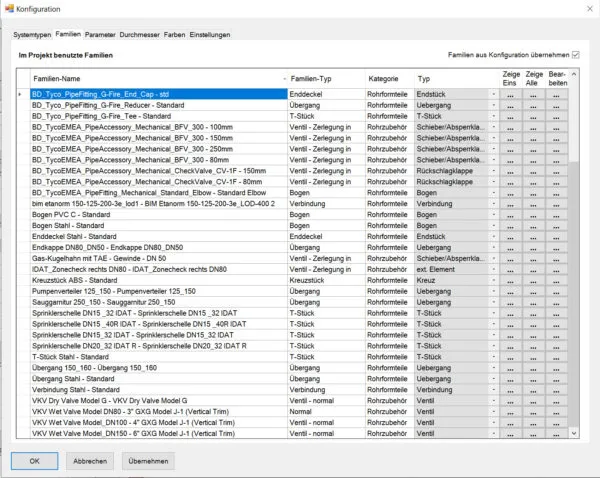
Three standard tables (VdS and FM) are included in the program. User-specific tables can be added.
Any number of effective areas can be entered, calculated, and saved.
An extensive list of pump characteristics from well-known manufacturers is included.
All information contained in the drawing model is then transferred and processed to our calculation core (SpriCalc) using transfer files.
SpriCalc meets the accuracy requirements specified by VdS/FM/NFPA/DIN EN 12845, as well as the format of the calculation printout.
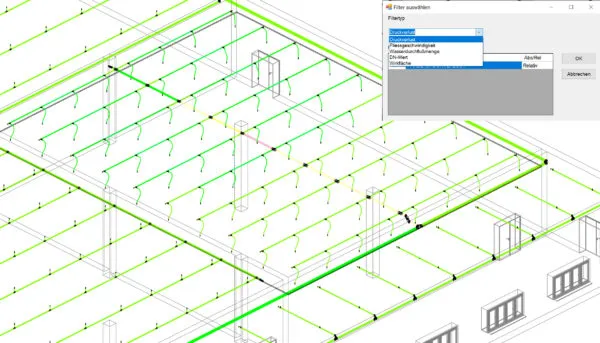
Various filters are available for the design of the sprinkler network for:
- water flow
- flow velocity
- Pressure loss in pipes
- Show effective area
- DN value
YouTube videos: