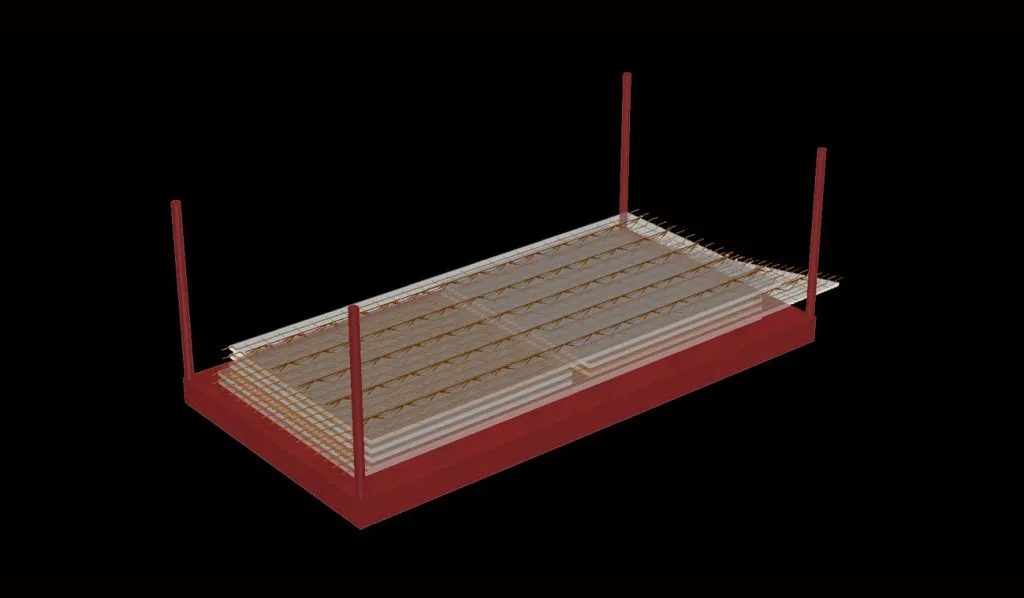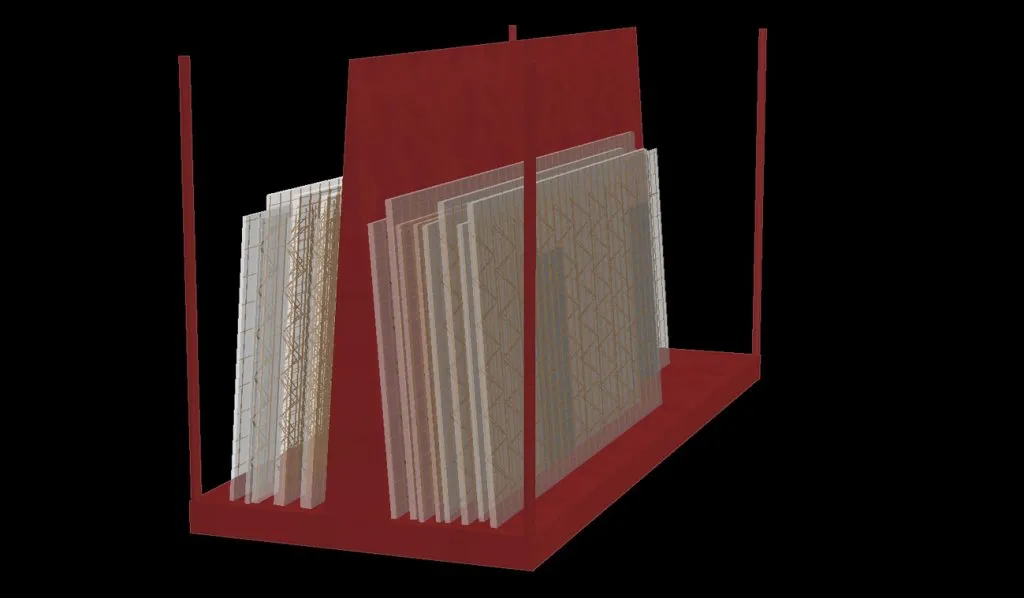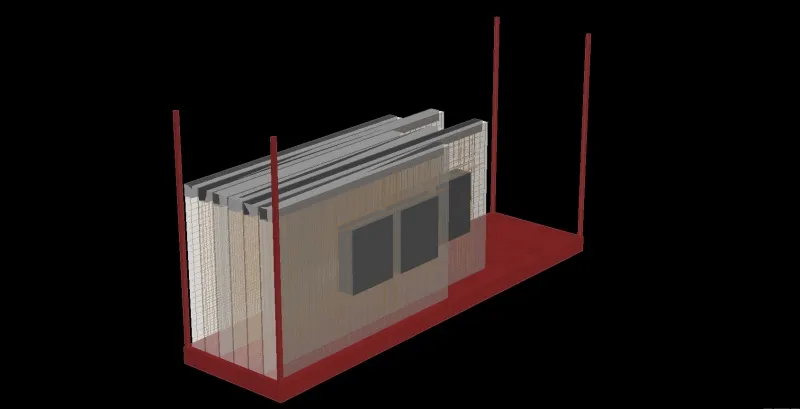


Transporting the concrete elements from production to the construction site requires detailed planning. In addition to the transport-relevant parameters such as maximum dimensions or weights and safety aspects such as determining the center of gravity, the laying order on the construction site is also indirectly determined here. TheStackeris a program that optimally supports the user in this important task.
Functions
- Direct import of CAD data
- Graphical user interface
- Monitoring of the maximum weight and dimensions of the stack
- Center of gravity determination to ensure stability
- Flexibly configurable transport racks and trucks
- Drag & Drop - How to Use
- Generation of packing lists
- ERP integration
benefits
- Optimal control through graphical views
- No overloading and automatic monitoring of weight distribution
- Can be easily adapted to any type of transport rack
- Exporting CAD/CAM files for further use on, for example, training computers
- Output of flexibly configurable batch lists
transport stacking
In addition to the CAD program, IDAT offers programs for production planning. These programs round out the portfolio, enabling IDAT to support end-to-end, integrated IDAT from the moment data is received from the customer through to the production of the finished part. These programs work with the machine data generated by the CAD program and are thus fully compatible with modern production technology and master computer systems. AutoCAD is not required to run these programs, and they can be operated on a separate computer independently of the CAD software.
The Stacker program is responsible for transport stacking. It is used to plan the transport of prefabricated components to the construction site. Indirectly, it also determines the installation sequence on the construction site, since the components are stacked and unloaded on the construction site in reverse order.
In the Stacker, various stacking racks can be defined with the following parameters:
- Dimensions
- Weight of the trailer
- Maximum weight of the entire trailer, including the load
- Stacking type: flat/upright
- Center of gravity determination
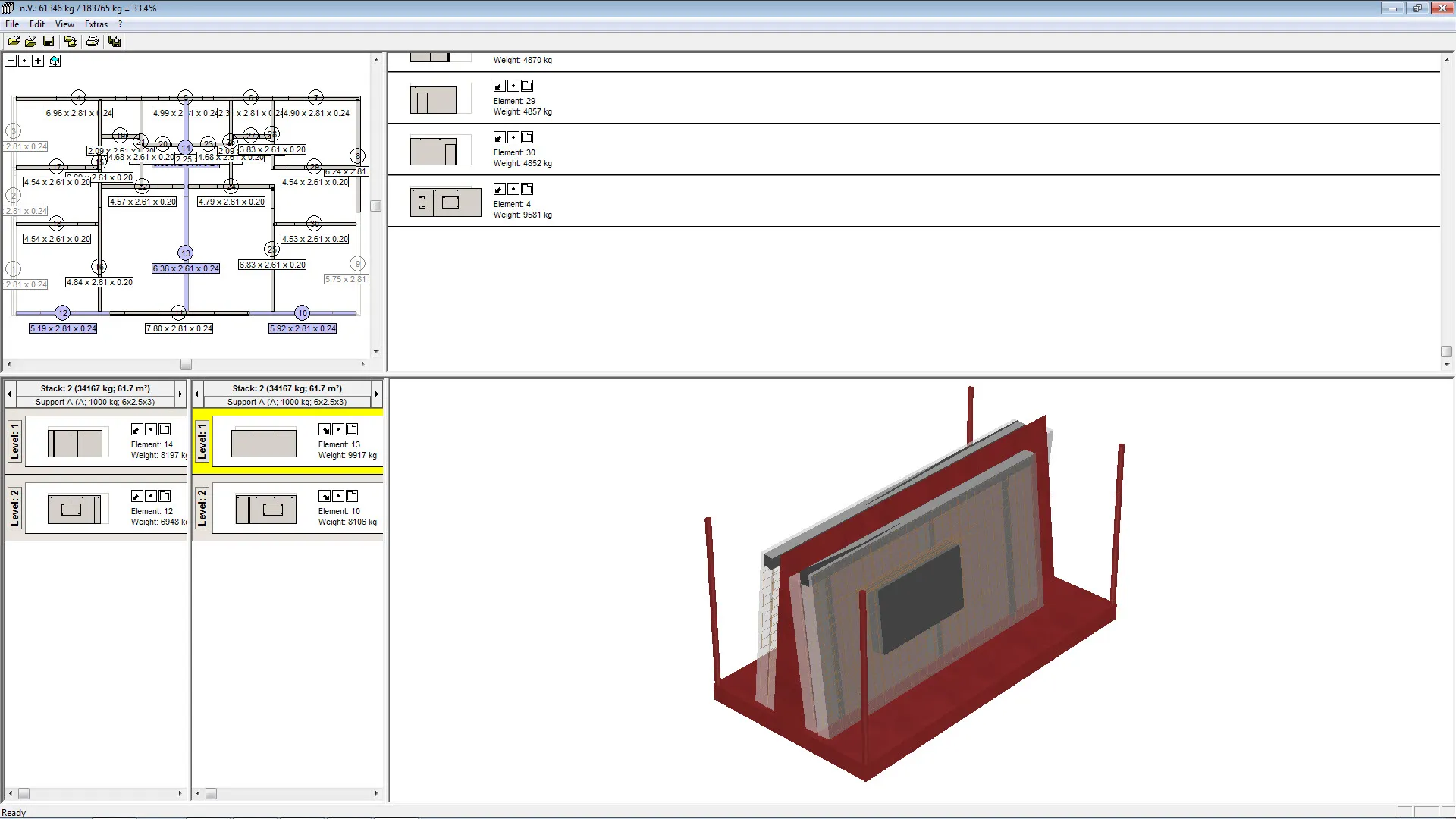
In the Stacker, the prefabricated parts imported from CAD are displayed in the correct orientation on the floor plan. Simply clicking on the elements places them in the current transport rack. The program actively monitors the weight and automatically selects a new stack when the preset maximum weight is reached. Similarly, during vertical stacking, the stack’s center of gravity is determined and displayed to the user, allowing them to make any necessary corrections. The stack is displayed in 3D and can be viewed from all sides.
The following editions are available:
- Various playlist lists
- Transfer of batch information to logistics programs
- Machine data for production that contains information about the items in the stack. This is particularly useful when the items are later manufactured on a continuous production line. Typically, the items must be produced in the order they appear in the stack, since they are transferred directly from the pallet to the stack.